
Diablo photo hub admin
Welcome to our new photo-sharing hub, which replaces our previous, limited Google Drive storage. This is a mobile-friendly application that works directly in any web browser with no app installation required. It allows all attendees—including those without Facebook or Instagram—to easily upload pictures.
Moving forward, photos on Google Drive will be regularly purged (schedule to be determined). Event organizers and chairs will review submissions here and upload selected shots to our social archives. Please contact the Web Committee if you need technical support.
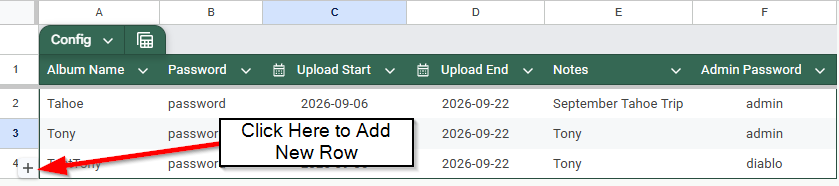
Click the + sign to add a row and then fill in the fields
Album Name: Visible name to members (this folder will be created in Google Drive if it does not exist)
Password: Password provided to members of the event
Upload Start: When you want to start accepting photos
Upload End: When you want to end accepting photos
Notes: This anything extra you want to provide as a message to attendees
Admin Password: This should be provided to anyone that will manage which photos ultimately get published to Facebook or Instagram. This may be the relevant chairs or the lead of the event/tour.
How To Create an Album
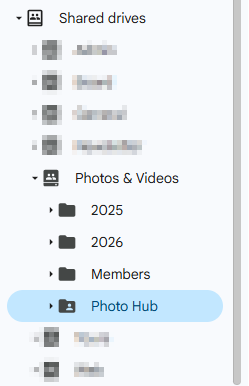
Go to Diablo Photo Hub Album Config (you must have permissions) - all Photos get placed on the Photos & Videos Shared Google Drive
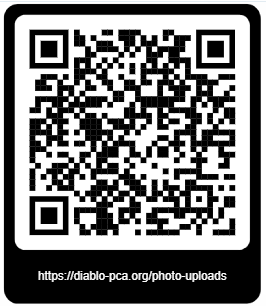
Provide the QR Code and Password to Participants
How to Manage Photos
Anyone that has the admin password can do this.
Enter the admin password
You will the be presented the Albums you have access to manage
Once you go into a album you can select photos and then choose where to publish it (Feature not yet Working)
If you need to manage multiple albums with different passwords you will need to sign-out and then back in.

